Choose a Compute Layer
GraphReduce keeps the graph structure and node operations from the execution
engine. Switching engines is easiest when the graph uses DynamicNode and
automatic features; custom node methods remain backend-specific.
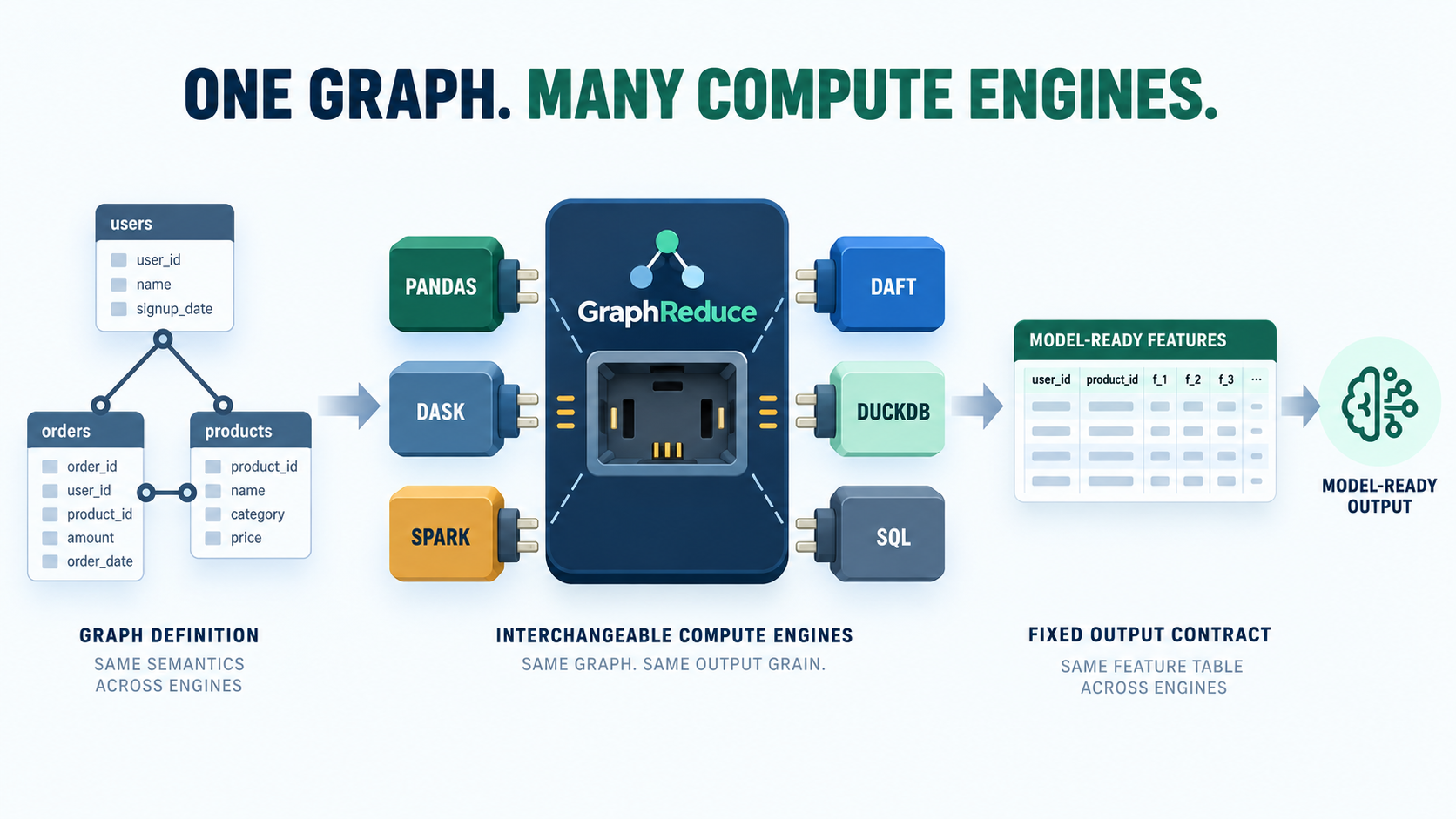
The graph topology, time-window configuration, and intended output grain form the portable contract. Engine-specific expressions, clients, storage access, and materialization behavior remain integration concerns.
Backend map
| Workload | ComputeLayerEnum |
Typical node | Extra |
|---|---|---|---|
| pandas | pandas |
DynamicNode |
Core install |
| Dask | dask |
DynamicNode |
Core install |
| Spark | spark |
DynamicNode |
graphreduce[spark] |
| Daft | daft |
DynamicNode |
graphreduce[daft] |
| DuckDB | duckdb |
DuckdbNode |
graphreduce[duckdb] |
| SQLite | sqlite |
SQLNode |
Python standard library |
| Trino | trino |
TrinoNode |
graphreduce[trino] |
| Other SQL engines | Matching enum member | SQLNode or backend subclass |
Backend client |
There is no generic ComputeLayerEnum.sql. Select the actual SQL dialect so
GraphReduce can render backend-specific syntax.
Dataframe nodes
The same basic node configuration works across dataframe engines:
from graphreduce.enum import ComputeLayerEnum
from graphreduce.node import DynamicNode

customers = DynamicNode(
    fpath="customers.parquet",
    fmt="parquet",
    pk="id",
    prefix="cust",
    compute_layer=ComputeLayerEnum.pandas,  # or dask, spark, or daft
)
Set the graph to the same compute layer:
graph = GraphReduce(
    parent_node=customers,
    compute_layer=ComputeLayerEnum.pandas,
    auto_features=True,
)
Spark also needs spark_sqlctx where required by the current API. Storage
paths must be readable by the chosen engine; a local path that works in pandas
may not be visible to a distributed Spark job.
SQL nodes
SQL execution uses SQLNode or a backend-specific subclass and the SQL entry
point:
import duckdb

from graphreduce.enum import ComputeLayerEnum
from graphreduce.node import DuckdbNode

connection = duckdb.connect()

customers = DuckdbNode(
    fpath="customers",
    table_name="customers",
    fmt="sql",
    pk="id",
    prefix="cust",
    compute_layer=ComputeLayerEnum.duckdb,
    client=connection,
    columns=["id", "name"],
)

graph = GraphReduce(
    parent_node=customers,
    compute_layer=ComputeLayerEnum.duckdb,
    sql_client=connection,
)
graph.add_node(customers)
graph.do_transformations_sql()
Client construction, credentials, catalogs, and temporary-object behavior vary by backend. Use the matching end-to-end example before porting a large graph.
What is portable
Usually portable:
- graph topology and edge keys;
- parent-grain and time-window configuration;
DynamicNodeautomatic feature intent; and- basic aggregate semantics.
Usually backend-specific:
- custom dataframe expressions;
- custom SQL strings and functions;
- type coercion and timestamp syntax;
- identifier quoting;
- connection and catalog setup; and
- materialization/checkpoint behavior.
See Same graph, multiple backends for side-by-side implementations.